

How to Migrate to Fantasy FanClub
Ready to switch to Fantasy FanClub for an even better premium experience?
The switch requires action steps from you, but have no fear! We’re here to walk you through it every step of the way. Watch this 5min walkthrough video and/or keep reading for a step-by-step guide.
How to Switch (please read to the end!)
Step 1: Go to https://fantasyfangirls.supercast.com/ and click on the top banner “Existing Patrons: Migrate your Patreon subscription →”
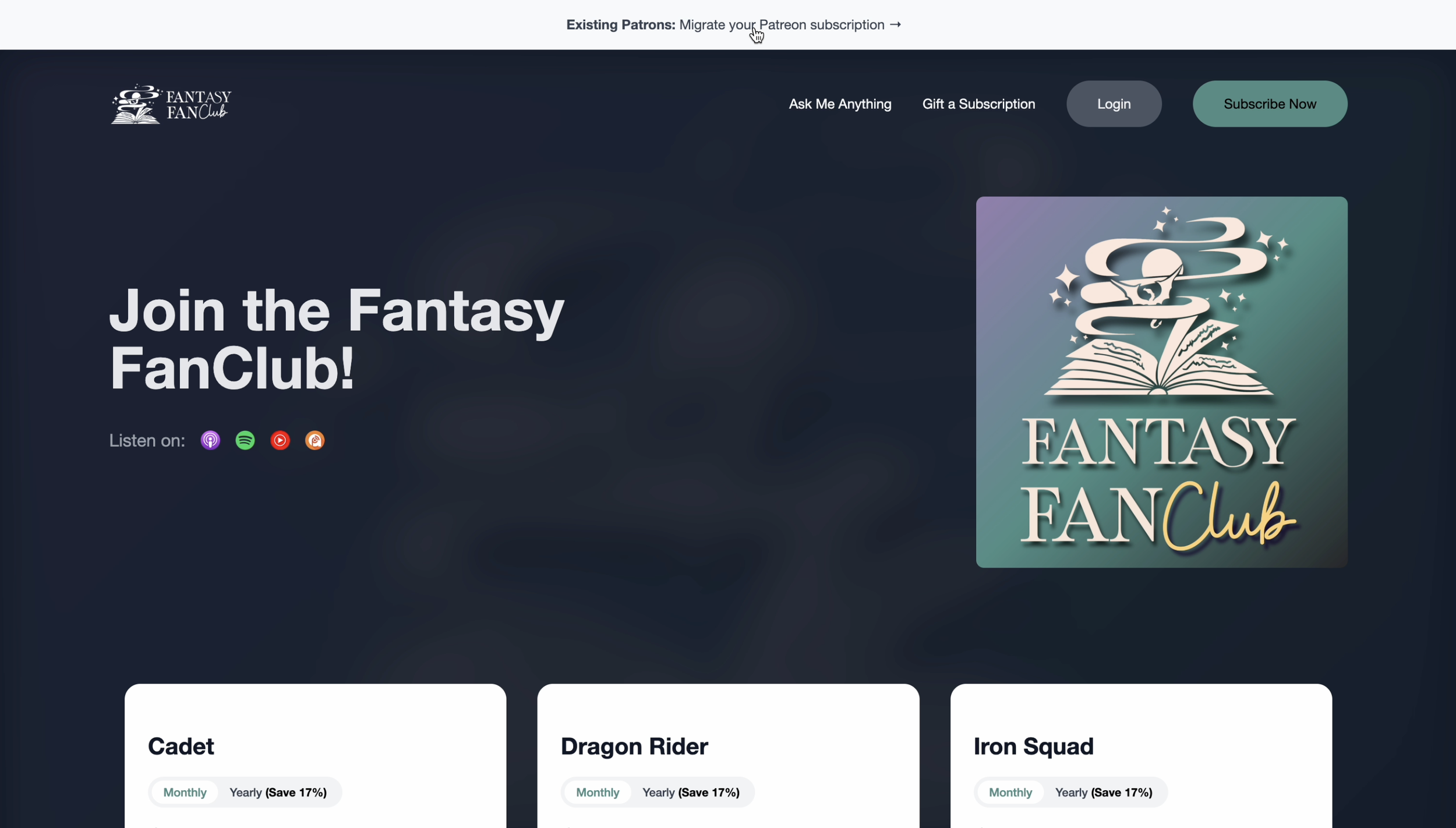
Step 2: Go to “Log In with Patreon”
Give permission for Supercast to access your account on Patreon by clicking “Allow.”
Please disregard the “For a limited time only” message – it is automatic and your current price will continue to be honored!

Step 3: It will populate your current Patreon membership tier.
To keep your current membership tier and begin a new billing cycle, press “Continue”

Alternatively, if you’d like to keep your current billing cycle and not extend it at this time, underneath “Continue,” you’ll see “Continue current billing period”. Click that and you’ll owe nothing at checkout!

Step 4: Finalize your payment info. We recommend using your current Patreon email address to ensure a seamless experience.
If you selected “Continue” from above and are starting a new billing cycle:
At the top of this page, you’ll see how much Supercast will credit you for unused time on Patreon. You already paid this amount on Patreon and it automatically goes toward your migrated subscription to Fantasy FanClub/Supercast. You are not paying ANYTHING extra for this switch! It all goes directly into your subscription.
For example: If you have two more weeks until your next Patreon billing date, Supercast will give you the remaining two weeks in a credit to use toward your first month with Fantasy FanClub.
This payment timeline that shows you how your billing cycle will work moving forward.
PLEASE NOTE, ONLY ADJUST THE FIELD UNDER “Increase your yearly support” if you want to contribute more than the set cost of your membership! Otherwise, keep it the same as presently indicated.
The below screenshot is what it should look like if you establish a new billing cycle. Your Patreon credit will be applied and there will be a lesser charge at checkout to establish your new cycle.


If you opt to continue your current billing cycle, this is what your checkout experience should look like. Nothing is charged today - there is a $1 TEMPORARY “payment”, however, it is only there to confirm that your card is valid. Nothing will be charged. With that, a new renewal date when your current membership is over.
Step 5: Click “Sign Up Now” to join Fantasy FanClub!
YOU’RE IN!
NOW FOR THE VERY IMPORTANT STEP – CANCELLING PATREON!
Step 6: Once you’re registered for Fantasy FanClub, go back to your Patreon portal
Step 7: Click “Settings” → “Membership” → “View Details” → “Cancel Membership”

Please make sure you do this step. The migration is unable to cancel on your behalf and we don’t want you to double-pay.
Step 8: Go to your Fantasy FanClub portal to reconnect your Discord via Supercast. You are not losing access to the Discord server or have to start from scratch. This reconnection alerts Discord in the backend that you have switched from Patreon.
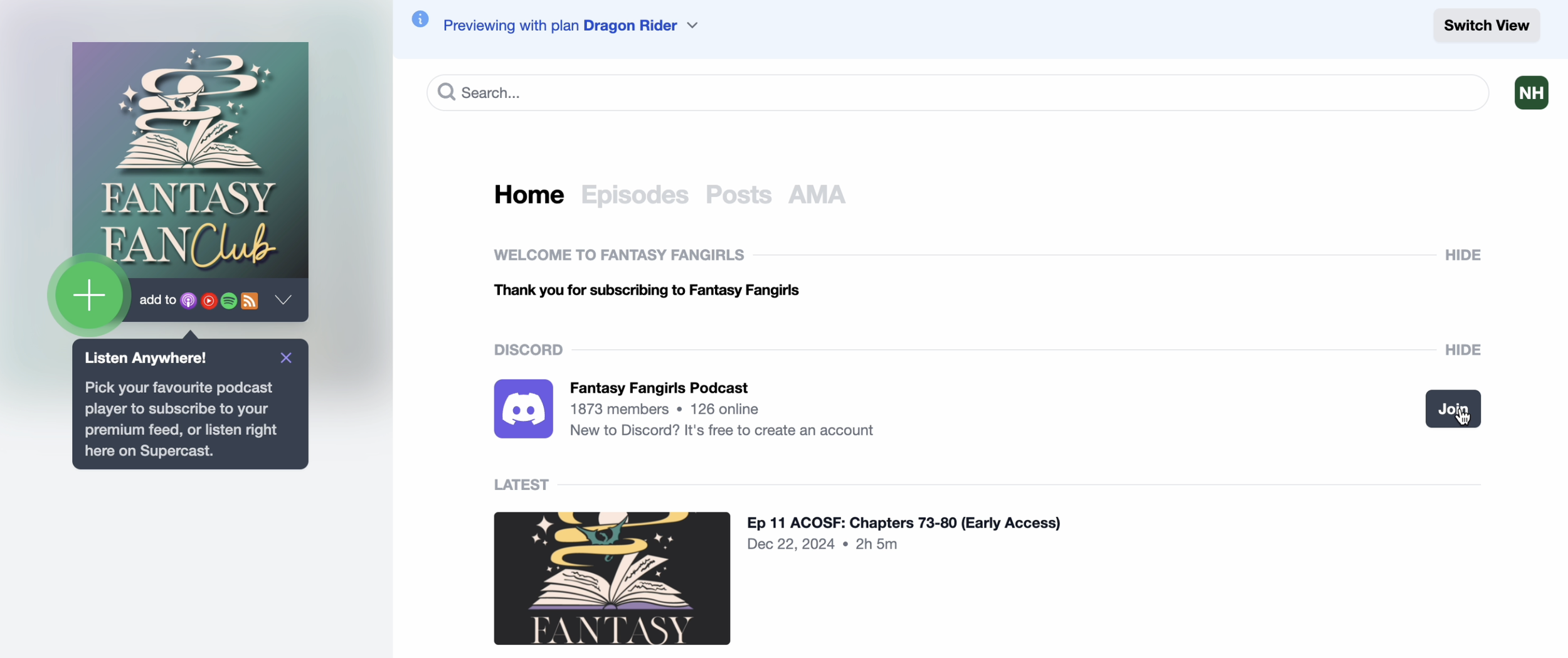
Step 9: Click the “Join” button next to the Discord icon (sign into Discord if necessary)
Step 10: Click “Authorize” – and you’re all set up! See, wasn’t that easy?

Step 11: Access all recordings (live Q&As, book club, community events, etc.) and ad-free episodes (will populate for Tiers 2 & 3) by clicking on the “+” icon below our Fantasy FanClub logo.

Step 12: Find your preferred platform in the drop-down menu and click it. This platform will automatically open and prompt you to connect it with one click of a button.

And that’s it! You are all set up to enjoy Fantasy FanClub!
If you’re like “Ack, I don’t have time to do this right now!” no worries. While no one will be able to join as a new Patreon member, you will not lose any Patreon benefits in the near future. We will continue posting all announcements, live stream links, etc. to Patreon in addition to Fantasy FanClub until February 16, 2025.
Please make the switch before February 16, 2025, so you don’t miss out on any premium offerings!
While our Tier 1 Cadets price is now $6/mo, this has no impact on you as all Tier 1 Patreon members will be grandfathered in at your current price. We are also now able to offer a better discount for annual memberships, where you get a full 2 months off!